Framer’s new Content panel makes room for a smaller multilingual launch
Sima editorial · 11 November 2026 · Analysis · Release announced 2 November 2026
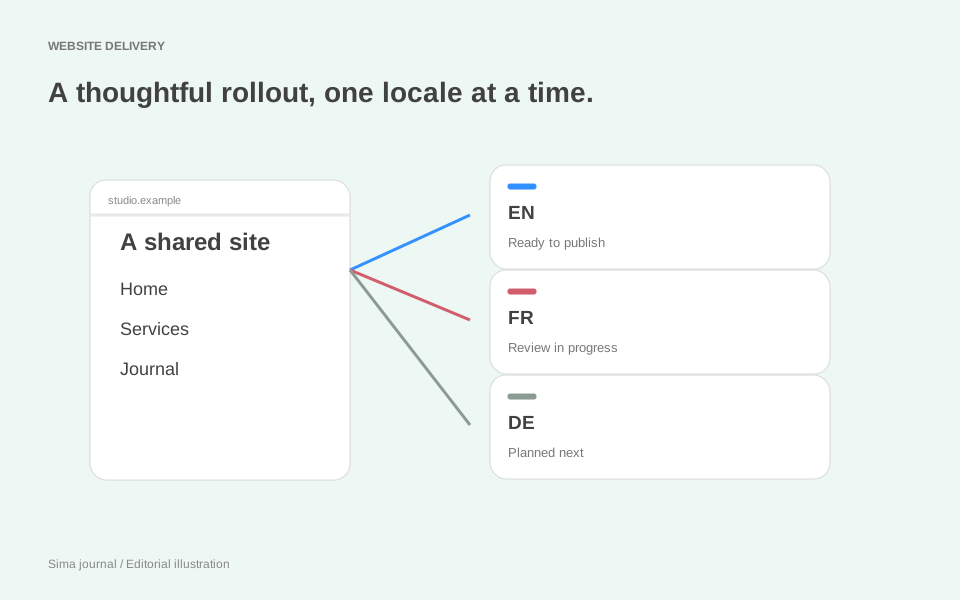
A multilingual launch rarely arrives in neat columns. The French homepage is approved, the case studies are still with a translator, and the German service offering has not been agreed. Framer’s new Content panel gives agencies a clearer way to work with that unevenness: decide which parts of the site belong in each locale, then expand deliberately.
The 2 November 2026 release brings pages, collections and components into an overview across locales. Teams can include content, keep it untranslated or hide it, applying choices to several items or all locales at once. When adding a locale, they can also choose whether content starts included or untranslated.
That last choice matters when the brief is “launch our French enquiry journey” rather than “translate everything we have ever published”. It makes the first release a selection exercise instead of treating the whole site as the immediate translation backlog.
Inclusion, fallback and exclusion serve different purposes
The Content panel is the new organising surface. Page exclusion and language fallback already appear in Framer’s earlier documentation; the November announcement adds the overview, bulk controls and starting preference for a new locale.
Included content still needs language review. Choosing what belongs in a locale is a scope decision; approving the words is a separate editorial job. Framer supports manual and AI translation, and its localisation table includes page titles, descriptions and image alt text alongside other strings. Those less visible details belong in the review too. See Framer’s locale setup guide.
Untranslated content can remain useful. Framer’s localisation lesson explains that untranslated content uses the selected fallback language. An English technical reference may therefore be a deliberate part of a French visitor’s journey. Name that language in the link so the transition makes sense before the visitor clicks.
Hidden pages are unavailable. Framer’s exclusion guide, updated in September 2026, says opening a hidden page in that locale returns a 404. The locale picker removes that language option when someone views the same page in another language. This differs from falling back to English. The guide also records a restriction on hiding items in the base locale; the November announcement does not revisit that restriction.
The practical distinction is between “read this in another language” and “this page is not offered here”. They call for different navigation decisions.
A French launch with three deliberate boundaries
Imagine an agency working for an English-speaking workplace consultancy. Its client has hired a French-speaking consultant and wants to start taking enquiries in France. The main site has service pages, a large insights archive and a UK events programme. This is an illustrative project, not a reported customer result.
The agency proposes a French homepage, a workplace-strategy service page and a contact journey. The French consultant reviews the service description against what the firm can actually deliver locally. The enquiry route needs an appropriate recipient, response expectations and confirmation copy; a translated invitation is only useful if the business can answer it.
The archive gets a different treatment. One English research report is valuable to prospective French clients, but translating the entire collection would consume the first release’s budget. The agency proposes leaving the report’s page untranslated, with English selected as the fallback, and labelling the relevant French link “Rapport de recherche (en anglais)”. That preserves a useful destination while being honest about its language. If the report is a linked PDF, its translation is a separate deliverable: the page’s locale setting is not a substitute for reviewing the file.
The UK events pages are hidden in French because those events are outside this launch’s offer. The agency also removes their entry points from the proposed French navigation. The documented locale-picker behaviour is helpful, but it is not evidence that every menu, promotional card or footer link has been rewritten. Each link into the excluded section needs an intentional replacement or removal.
German remains a later commercial decision. Applying one bulk setting across French and German would be convenient, but these markets have different approved scopes. The team should group changes by that scope: shared supporting material can receive the same treatment; market-specific services cannot.
Review the boundaries, not just the translated pages
For this project, the most revealing review starts on the French service page and follows every route out. Does the enquiry stay understandable through confirmation? Is the English report clearly introduced? Does the menu offer an event page that is unavailable? What happens when someone switches language from a page excluded in French?
Ask the language reviewer to walk that route alongside the implementer. Framer’s setup guide documents a canvas locale selector for previewing languages, which helps with checking longer labels and text fit. The published journey also deserves a review, particularly where it crosses into forms, downloads or external services. Our client website review guide provides a way to collect those observations against a specific version.
The next release can then have a concrete purpose: translate the research report once the French consultant confirms it supports sales conversations, or add a local case study when one exists. This gives the agency a better handover than a percentage translated. The client knows what French visitors can do today and what evidence would justify the next investment. If source copy changes during that work, agree who owns it through the Framer CMS editing workflow.
Source and scope
Based on Framer’s 2 November announcement and official guidance checked on 8 November 2026. Both help guides were updated on 15 September 2026, before the new panel; the Academy lesson warns that its interface may differ. The scenario and review advice are editorial analysis, with no product-account or browser testing claimed.