Teach the Figma agent why your design system works
Sima editorial · 11 November 2026 · Analysis · Guidance published 23 October 2026
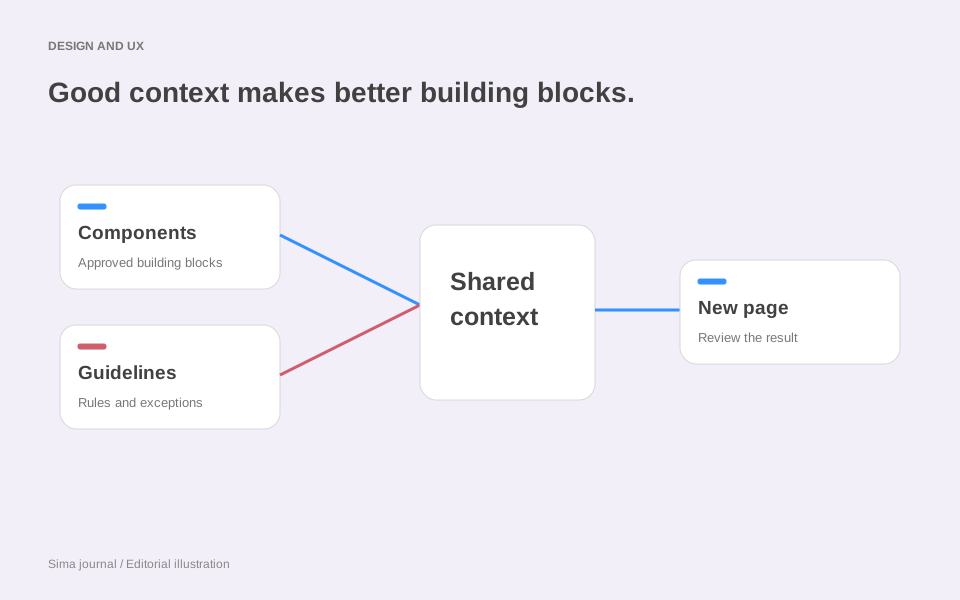
A client asks for six new event pages. The agency already has the typography, cards and buttons; the awkward part is explaining why a free exhibition needs different information from a ticketed workshop. That is where a design system becomes more than a collection of matching assets.
Figma’s 23 October guidance describes how to give its agent that missing context: connect a published library, attach written guidelines and supply examples of the system in use. It is guidance on an existing product, not an announcement that the agent launched that day. For agencies, the interesting opportunity is to make decisions from the original commission available when the next brief arrives.
Give the agent a useful unit of design
Consider Bracken Arts, a fictional regional arts centre. Its website advertises exhibitions, evening talks and weekend workshops. An agency is extending the site with an autumn programme, starting from an approved event page.
A library containing a button and a text style leaves much of that page unresolved. A reusable event-summary component could instead group the date, venue, admission information and action. The agency would define ticketed, free-entry and enquiry variants, with a separate property for whether advance booking is required. That distinction matters: a free talk can still need a reservation.
This follows Figma’s component preparation advice: larger reusable compositions communicate more layout intent than isolated controls. Meaningful names, explicit properties, auto layout and applied variables give the agent structured information to work with. The library and subsequent updates must be published.
For Bracken, name the component around its purpose—Event/AdmissionSummary—and let it grow with a longer venue name. A tightly cropped screenshot of the shortest example would conceal that requirement. Making the behaviour explicit also helps the designer who inherits the file six months later.
Put the editorial decision in a guideline
The component supplies the possible states. Someone still needs to decide which state fits the event.
Bracken’s imagined house rule could read:
For free events requiring advance booking, show “Reserve a place”. Use “Book tickets” for paid admission. For drop-in exhibitions, show opening hours and “Plan your visit”. Never infer booking requirements from the price. If the brief omits them, flag the missing information before choosing the action.
This instruction expresses a client decision that visual resemblance cannot settle. It also explains what the agency needs from the programme manager: admission price and booking requirement are separate fields in the content brief.
Figma’s guidelines documentation describes uploading Markdown, text or JSON through Library → Manage guidelines, then applying the changes. Those files accompany the published library when it is used by the agent. The documentation still describes the upload workflow as beta and lists Professional, Education, Organization and Enterprise support, with file-edit permission required.
Agent access has a separate permission boundary: Figma’s help centre says a Full seat and file-edit access are needed for agent edits in shared design files. Other seats can chat without editing there, and anyone can ask the agent to edit their own Draft files. Starter access to the agent does not include this library-guidelines workflow.
Keep a one-off sponsor requirement in the autumn programme brief. Putting it in the permanent library instructions could make it appear on next spring’s unrelated exhibition. The distinction is editorial: a guideline should survive the current job.
Show two pages that make different choices
An approved ticketed workshop page would show Bracken’s date selector, materials information and booking action together. A free exhibition page would demonstrate opening hours, visiting information and a quieter action. Both should include the accessibility-information link in its intended place.
Figma supports library examples as published components on an Examples page, or components whose names end in _example. The names are case-sensitive; for component sets, name or place the parent set rather than an individual variant. Its examples guidance explains how complete compositions convey relationships that individual assets do not. Choose examples for the decisions they demonstrate; six nearly identical workshop pages would explain less than these two contrasting cases.
For a particular assignment, attach the relevant Figma design to the agent chat and provide the event copy. Select the published library through Libraries in the prompt box. Figma also supports mentioning a particular component or token when the request needs precision. These are the documented context controls.
A useful Bracken request would be: “Create a page for the supplied free, reservation-only artist talk. Use the event library and the attached workshop layout for the programme details. Apply the admission rules. List any missing event information separately.” The source material now explains the assets, the composition and the decision the new page requires.
Sell the reusable judgement
For an agency, this suggests a concrete handover deliverable: the working event components, two approved examples and a short admission guideline, alongside the content fields needed to use them. Price the work as maintaining the client’s system. Counting generated pages would miss the part that makes the next commission easier to brief.
Review the talk page at the point where the examples diverge: does free admission still lead to reservation, and does the accessibility link remain visible? If either is wrong, correct the page and the relevant source instruction. Figma’s guidance says guidelines currently work best for new designs; their application to existing designs is less consistent. That makes an old page being repurposed a distinct review task, even with a familiar library.
Our Framer Agent Templates analysis explores another way to package repeatable work. Figma Code Layers looks at extending a website beyond static design. In either case, the useful agency asset is the decision that can be explained, reused and revised when the client’s needs change.
Source and scope
This article covers the Figma Design library workflow, based on guidance published 23 October 2026 and linked help documentation reviewed 8 November 2026. Bracken Arts and its brief are illustrative; no product-account test or time saving is claimed.