Framer Agent Templates make the design rules part of the product
Sima editorial · 11 November 2026 · Analysis · Release announced 3 November 2026
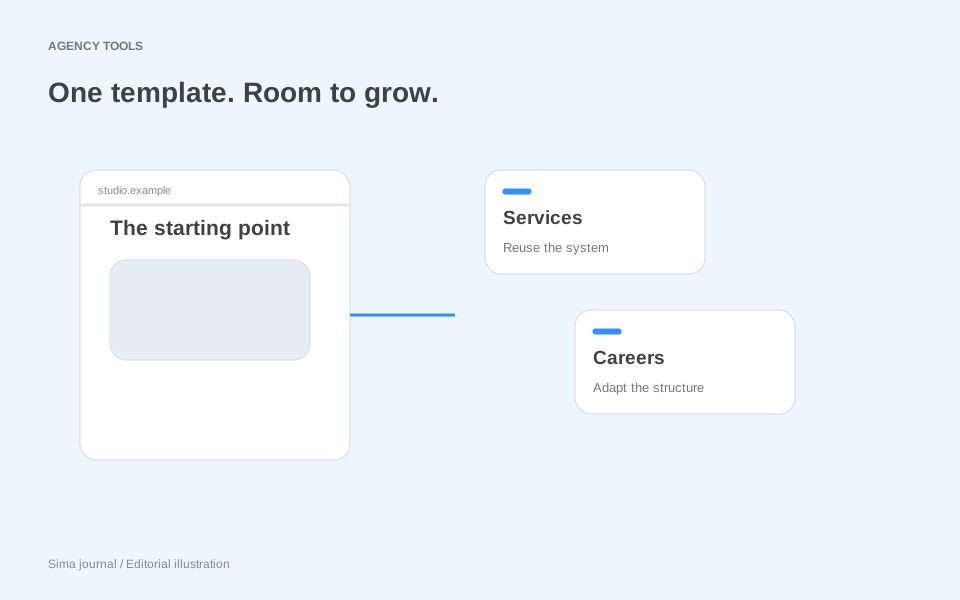
Framer’s Agent Templates turn a website template into a starting point for pages that have not been designed yet. The 3 November announcement introduces Marketplace templates supplied with skills, a design system page and a walkthrough video. Framer describes an agent that follows those instructions and reuses the template’s styles and components when creating a new page.
For agencies, the interesting change is what becomes reusable. A finished homepage gives you a composition to copy. A template with explicit rules can also explain how to compose something different. That matters when a client approves the demo, then asks for a recruitment section, a second service line or a page aimed at a completely different audience.
The template now explains itself
Framer’s creator guide describes skills as saved instructions, created in Settings → Skills and invoked in agent chat with a command such as /design-system. The accompanying design system page displays named styles, component variants and example sections. It serves as a reference for both the buyer and the agent.
This makes the relationship between the three additions important. The page shows the available parts; the skill tells the agent how to combine them; the video demonstrates the workflow. For an agency evaluating a template, the useful question becomes: does this system explain the decisions that somebody would otherwise have to reverse-engineer from the finished site?
Framer’s own Sift example is deliberately small: a homepage, a design system page and a skill that supports creating further pages. Its guide explicitly favours strong building blocks over a large page count. That is a meaningful change in how buyers might compare templates. Source: Framer’s creator guide.
A recruitment page without a second visual identity
Consider an illustrative agency project for a building-services consultancy. The purchased template has an elegant services homepage and case-study cards. Three weeks into the project, the client adds a recruitment requirement: explain its graduate programme, show application dates and direct candidates to an existing application portal.
Simply duplicating the services page would preserve the appearance but impose the wrong story. Candidates need to understand the training, the work and the selection process. A service buyer needs evidence that the consultancy can deliver a project. The new page should share a design system, not a sales argument.
The agency could give the agent this brief alongside the template’s design-system command:
Create a graduate programme page using the existing navigation, footer, heading styles and button components. Use the approved copy below. Order the sections as programme overview, training, example projects, application stages and application link. Reuse the case-study cards for example projects. Do not add vacancies, benefits or dates beyond the supplied content.
That brief separates the editorial decision from the visual decisions. The agency chooses the audience, sequence and facts; the template supplies the established design vocabulary. It also gives the reviewer something specific to assess. A page can look convincing while introducing an invented benefit or burying the application deadline.
The most revealing design question is what happens to the application stages. If the template has no appropriate numbered sequence, this is a legitimate gap. The designer can create a reusable stage component and explain its role, rather than forcing the content into an unrelated pricing table simply because one is available.
The agency should then add the stage component to the design system page and update the skill with its name and intended use. When the consultancy later needs an experienced-hire page, the project would contain both the component and instructions for using it. That is where the potential value compounds: recording each considered addition makes the next brief less dependent on one designer remembering a previous decision.
Buy the ability to extend, then budget for it
For a small studio, Agent Templates suggest a different estimating conversation. Separate adapting the existing system from extending it. Changing brand colours, replacing imagery and adding a page from existing components is one kind of work. Introducing a new application flow or a dense technical comparison is another.
Before quoting, identify the hardest required page that the template does not show. Examine whether its building blocks cover that page’s content. Where they do not, price the missing design work explicitly. A large demo library is not necessarily better value than a smaller, coherent system, but a neat instruction set does not remove a genuine design requirement either.
For agencies that sell templates, the same logic shifts the product’s centre of gravity. The rules and examples deserve maintenance alongside the visuals. If a button variant changes meaning, an old instruction can keep directing future work towards the wrong choice. Treat those relationships as part of the product you support.
For related approaches to reusable design context, see Figma’s design-system agent. If the client’s expansion involves translated pages, our Framer localisation coverage explores another dimension of maintaining a site as its content grows.
Source and scope
Based on Framer’s announcement, published 3 November 2026, and its creator guide, checked 8 November 2026. The guide displays an earlier update date of 1 October 2026; the announcement date is the release reference here. The consultancy scenario and estimating advice are editorial analysis, not product testing. No template-specific performance or time-saving results are claimed.