Figma Specs brings the missing behaviour into design handoff
Sima editorial · 11 November 2026 · Analysis · Release announced 15 October 2026
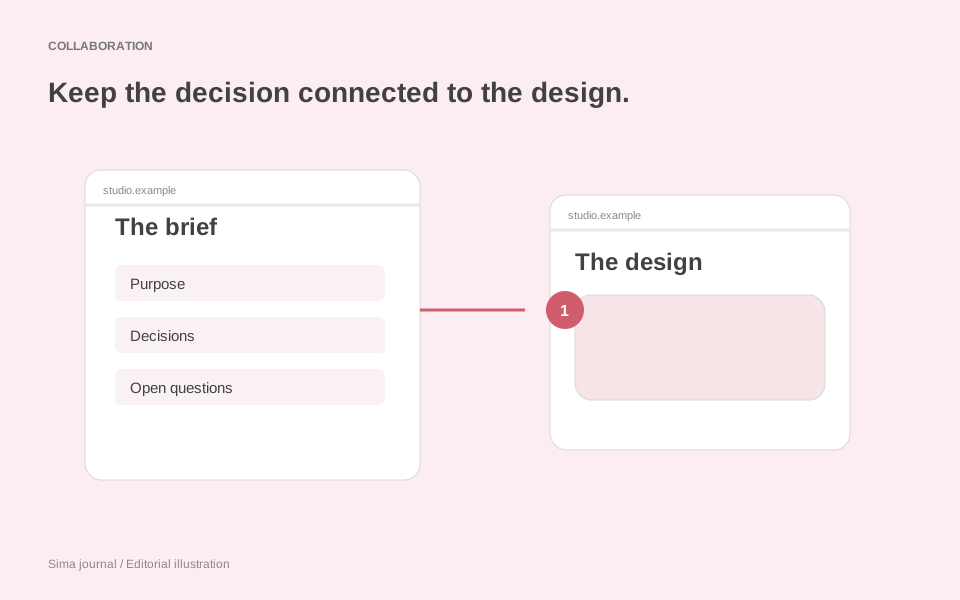
A sold-out event can produce three sensible website designs: hide its booking button, replace it with a waiting-list invitation, or offer another performance. The screen alone cannot explain which response the venue needs. That answer often lives in a workshop note which nobody opens during development.
Figma’s Specs, announced as rolling out in open beta on 15 October, gives that explanation a place on the design canvas. It combines collaborative writing with embedded Figma material, including frames, diagrams and other canvas nodes. Existing Markdown files can be dragged in. The Figma agent can also read and reply to comments within a spec.
For agencies, the consequential part is the route out of the design file: Figma says a coding agent connected through its MCP server can receive a spec’s written content and references, including diagrams, frames, code layers and Code Connect snippets. The handoff can carry the reasoning that makes a particular screen correct.
A document you can work on beside the screen
The current Specs guide lists the feature as open beta across Starter, Professional, Education, Organization and Enterprise plans. You can create a standalone Spec file, or insert one into a Figma Design file or FigJam board using the toolbar or the D shortcut.
This is a document editor with headings, lists, to-dos, code blocks and Figma embeds. A slash opens the block menu. You can move content between the document and canvas, or open a full-screen editor when the writing needs more room. Editing requires file edit access; manual writing does not consume AI credits. Agent use does consume credits, although the guide says this will apply in FigJam when its agent begins consuming them. Plan availability and AI usage are separate considerations.
Those ordinary editing controls matter. An agency producer should be able to correct a requirement during a review without asking a designer to rearrange text layers. Equally, a designer should be able to put the relevant screen beside that requirement without preparing another presentation. This is where Specs could earn its place in a small team: fewer preparations between discussing a problem and recording the answer.
Work through the booking rule, not just the booking screen
Consider an illustrative redesign for a small theatre. Its event page promotes a production with several performances. Some dates have seats available, some have sold out, and occasionally the booking provider cannot return availability.
Put three corresponding frames into the spec. Under each, write what the visitor knows, what action they can take and where the availability comes from. This exposes a distinction that a polished mock-up can conceal: “no seats” and “availability unknown” require different messages.
The agency could propose the following behaviour for the venue to review:
- Selected performance available: show its date and price beside the booking action, so the visitor knows which performance they are choosing.
- Selected performance sold out: retain that date, explain its status and offer other performances of the same production.
- Availability unavailable: explain that availability could not be checked and provide a route to the box office. Do not present the performance as sold out.
The venue may have a waiting-list service, or its provider may only offer a production-level booking link. Either answer changes the design. Capturing the provider constraint beside the affected frame makes that conversation possible before someone builds the wrong interaction.
There is a commercial benefit to making the unanswered question specific, too. “Confirm booking behaviour” leaves a client guessing. “Does the provider supply availability for each performance?” gives the venue’s ticketing contact something they can answer.
Give an agent the decision, then ask it to find the gaps
Figma’s announcement illustrates bringing codebase context into a spec through the GitHub connector and analytics through Hex, with findings added as comments. For the theatre project, a useful first request would be to compare the proposed states with the booking integration and identify missing information. Generating more screens before resolving that mismatch would multiply the work to review.
Once the rule is settled, a code-layer prototype could make the transitions reviewable. Give it explicit sample conditions: available, sold out and unavailable. Ask the client to walk through each one, including returning from an alternative date. The prototype should help answer whether the journey makes sense; the actual integration still needs those same conditions checked during implementation.
Keep reusable presentation rules separate from the event-specific decision. Button styles, status colours and accessible component behaviour belong with the client’s design-system guidance. Whether a sold-out performance offers a waiting list belongs with the booking requirement. Mixing them makes a one-off commercial choice look like a rule for every future page.
Make the first handoff small enough to inspect
For this project, hand over the spec for the performance selector, with the three frames and the resolved provider question. Figma describes copying the spec link into a prompt for a coding agent connected to its MCP server. Include the accepted behaviour in that request and ask for the implementation to demonstrate each state. Record who approved the booking rule and when: a thread of suggestions is less useful than a clear decision. If the client later introduces a waiting list, revise the sold-out requirement and its frame together, then review that changed journey.
The useful measure is whether a developer can explain why the unavailable state differs from the sold-out state before writing code. Specs offers a practical place for that explanation to survive the journey from discussion to interface. The agency still has to supply it.
Source and scope: based on Figma’s 15 October 2026 announcement and Specs help guide, checked on 8 November 2026. Specs remains documented as open beta; individual account access was not tested. The theatre project is an illustrative workflow.